MODULE 8 · EXPORT
Export to QuickBooks
Go to Export in the workspace nav. Choose a scope, preview the journal, fix any blockers, then Push to QuickBooks or Export CSV.
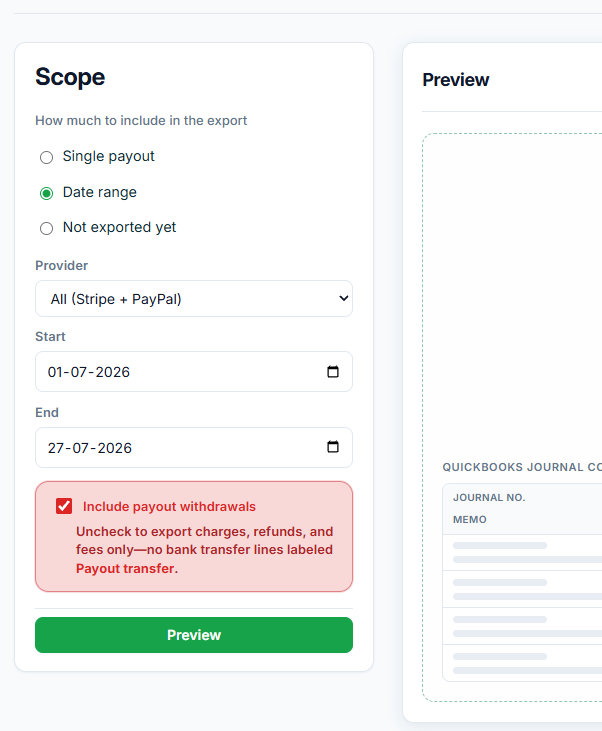
12.1 — Choose export scope
| Option | Use when |
|---|---|
| Single payout | You want one payout only |
| Date range | You want everything between Start and End |
| Not exported yet | You want only items never exported from QRecon (best for avoiding duplicates) |
Also set Provider (All / Stripe only / PayPal only) and, if shown, Include payout withdrawals (bank transfer / “Payout transfer” lines).
12.2 — Preview
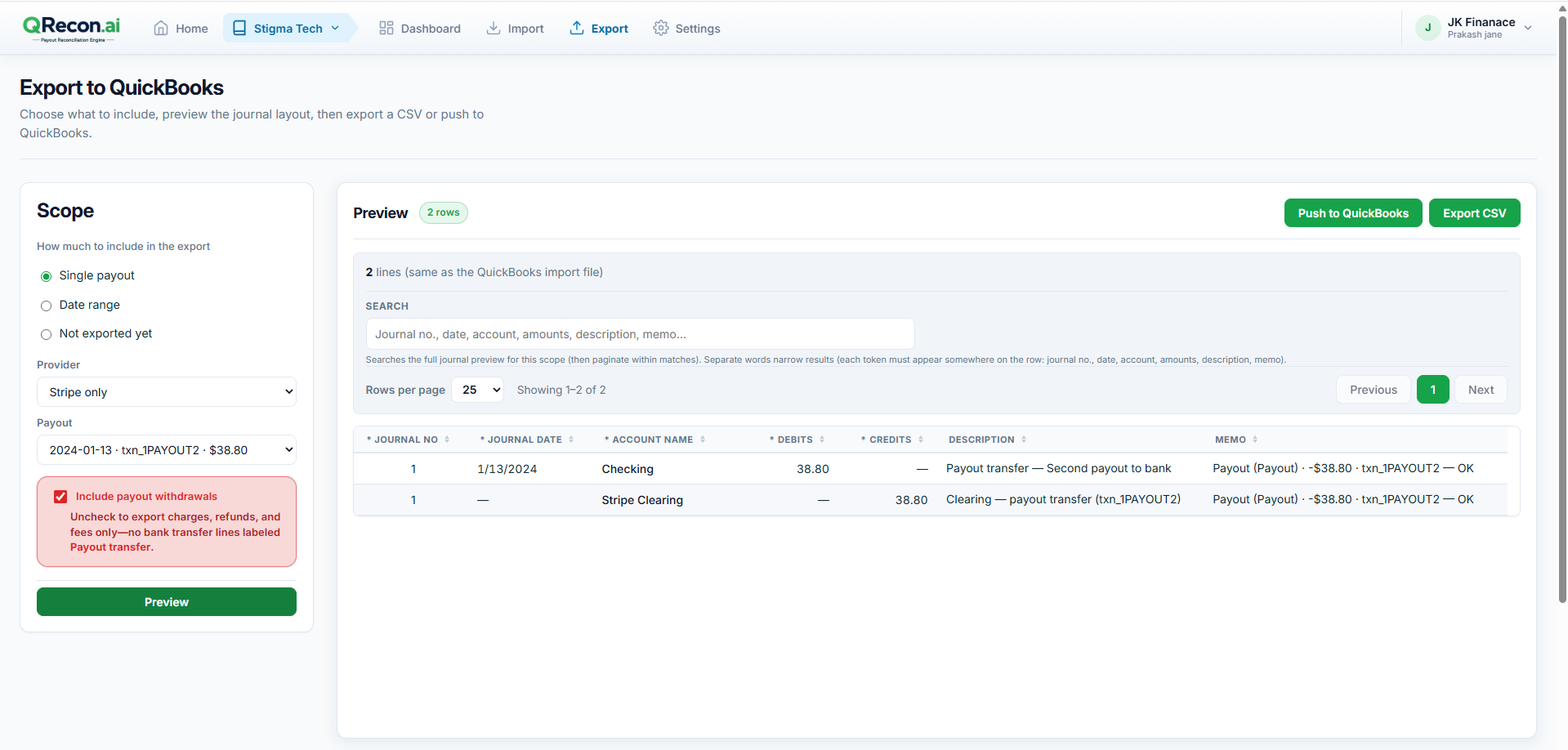
Click Preview and review:
- Journal lines and memos
- Totals and balancing accounts
- Warnings or blocker messages
12.3 — Fix blockers
| Message | What to do |
|---|---|
| Account mapping required | Open Settings → Account mapping, complete mappings, and save |
| Reconciliation incomplete | Return to Needs review, resolve items or accept variance |
| QuickBooks push disabled (overlap) | Use Not exported yet, a narrower date range, or a payout with no prior CSV/API export |
12.4 — Push or download CSV
Push to QuickBooks
Posts journals directly when:
- QuickBooks is connected
- Account mapping is complete
- No duplicate-export overlap
Click Push to QuickBooks and wait for success. Exported items show an API badge on the dashboard.
Export CSV
Click Export CSV, then in QuickBooks use Settings → Import data → Journal entries.
Those items show a CSV badge in QRecon after download.
⚠️
Important: Downloading a journal CSV in QRecon marks those transactions as exported in the app (to avoid double posting). That does not mean they are already posted in QuickBooks until you import the file there.
📝
Prefer Not exported yet for ongoing monthly work so you never re-push the same lines.
That’s the full path — register to export
Stuck on a specific error? Check the FAQ or contact support.